
Dolby Atmos Binaural Render Mode: Near, Mid, Far and Off
The binaural render mode is a distance setting, Off, Near, Mid or Far, that you give to every bed channel and every object in a Dolby Atmos mix. The Dolby binaural renderer uses it to decide how close to your head or how far away each element should feel on headphones. Since headphones are where most people hear Atmos, it is one of the settings I care about most, and one of the least understood.
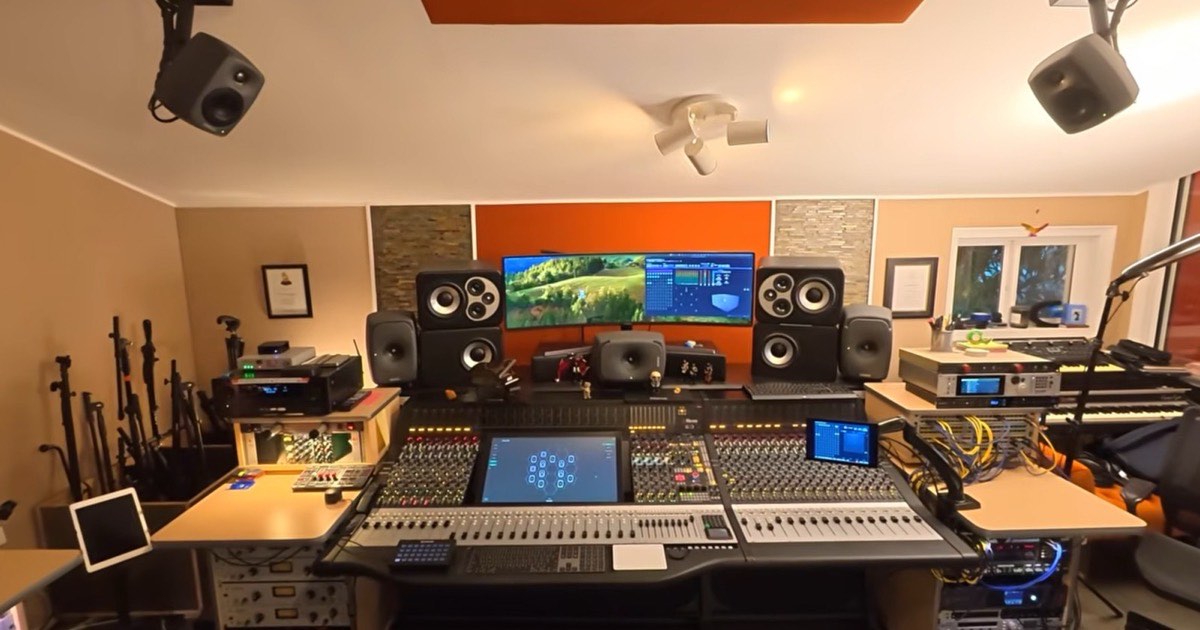
I engineered the Dolby Atmos versions of Off the Wall, Bad, Dangerous, HIStory and Invincible with Humberto Gatica at RG Studio, my room in Los Angeles. Those mixes had to work on a 7.1.4 system and on a pair of AirPods, so let me explain what this setting does and how I think about it.
What binaural rendering does
Play a normal stereo mix on headphones and the sound seems to sit inside your head, between your ears. A binaural renderer processes the audio with a head-related transfer function (HRTF), an algorithm that models how sound reaches our ears from different directions. The result is still two channels, but on headphones it feels like it comes from outside your head. That is how a Dolby Atmos mix, built for speakers all around and above you, becomes an immersive experience on any pair of headphones.
Atmos is an adaptive system: it expands or collapses depending on what the listener has, and on headphones what you get is a binaural reduction of the mix. The binaural render mode is how you, as the mixer, have a say in that reduction.
Off, Near, Mid and Far: what each mode means
Each bed channel and each object gets one of four values. According to Apple's Logic Pro guide to binaural render modes:
- Near, Mid and Far are distance values. They give you control over the perceived position of each element in the binaural mix: closer to the head or further away.
- Mid is the default for every channel and object.
- Off does not mute anything. A channel set to Off is still in the binaural render, just without distance modeling applied.
- The LFE channel is always Off and cannot be changed.
Which mode suits which element is a creative decision, not a rule. The best way to learn it is with your ears: solo a single object, monitor in binaural on headphones and switch between Near, Mid and Far. You will hear how the sense of distance and space around that element changes.
What Far does in Dolby Atmos binaural
Far is the distance value that makes an element feel further away from your head when the Dolby binaural renderer turns the mix into two channels for headphones. Near does the opposite and brings the element closer, and Mid, the default, sits between them. The value belongs to each bed channel or object, so in the same mix one object can be set to Far and the one next to it to Near.
Three things are worth knowing before you reach for it. Far only exists in the binaural render: on speakers the element stays exactly where you panned it. It is not the same as Off, which keeps the element in the binaural mix but without distance modeling. And it only works through the Dolby renderer, not through the Apple Renderer options in Logic Pro. As with the other modes, the way to decide is to solo the element on headphones and compare Far with Mid.
Where you set it
- Dolby Atmos Renderer: the binaural render mode is part of the Renderer's binaural metadata.
- Logic Pro: in the Dolby Atmos plug-in, choose Dolby Renderer as the monitoring format, open the list view and click the Binaural Renderer button. Each bed channel and 3D object then has a Binaural Render pop-up menu with Off, Near, Mid and Far.
- Dolby Atmos Binaural Settings plug-in: Dolby's plug-in controls the Renderer input configuration, groups, descriptions and binaural metadata from inside the DAW, so the settings are recalled with the session. It comes as AAX, AU and VST3 for Mac, and Dolby tested it with Ableton Live, Logic Pro, Pro Tools Ultimate and Nuendo.
Why I build the bed out of objects
The standard approach is to work on a 7.1.2 bed and send only the moving elements as objects. I don't work that way. For the Michael Jackson albums I built a 9.1.6 bed made entirely of objects, and one of the two reasons was precisely this setting: each object can have its own near, mid or far value in the binaural render, which the traditional bed does not allow. The other reason is scalability, because objects render natively on any system, from AirPods to a 9.1.6 room. I explained this in my masterclass at sound:check Xpo 2026.
I only keep the standard bed for the returns of specific effects, like a global reverb or a particular delay. Everything else is an object, so everything else gets its own binaural decision. I explain the whole approach in Dolby Atmos bed vs object.
Dolby renderer or Apple renderer
One detail that surprises many people: the binaural render mode is used only by the Dolby binaural renderer. Apple's guide states that in Logic Pro the modes have no effect when you monitor through one of the Apple Renderer options. In other words, the same Atmos mix can be turned into binaural by more than one renderer, and not all of them read this metadata. That is one more reason not to judge a mix on headphones from a single listen. It is also the root of the confusion between Spatial Audio and Dolby Atmos.
How I check the binaural
The most serious mistake in Atmos is not checking how the mix translates: on headphones, in binaural and outside the studio. I check my mixes on headphones, in binaural, in the car and even on a living room soundbar. My room has a Genelec 7.1.4 system calibrated with GLM, so what I hear in the studio translates, but the binaural check is a separate step, not an afterthought.
If you are a listener, use headphones rather than the phone speaker, with Spatial Audio turned on. If you are an artist or a label preparing an Atmos release, my guide on how to prepare your stems for Dolby Atmos covers what to send before the mix starts.
Frequently asked questions
What is binaural render mode in Dolby Atmos?
It is a distance setting (Off, Near, Mid or Far) assigned to each bed channel and object in a Dolby Atmos mix. The Dolby binaural renderer uses it to decide how close or far each element sounds on headphones.
What does Far mean in Dolby Atmos binaural?
Far is the binaural render mode that makes an element sound further away from your head on headphones. It is set per bed channel or object, it does not change the mix on speakers and only the Dolby binaural renderer uses it.
What is the default binaural render mode?
Mid. Every bed channel and object starts at Mid, except the LFE channel, which is always Off and cannot be changed.
Does binaural render mode Off mute the channel?
No. A channel set to Off is still included in the binaural render, only without distance modeling.
Do binaural render modes work with Apple's renderer?
No. According to Apple's Logic Pro documentation, binaural render modes are used only by the Dolby binaural renderer and have no effect when you monitor with one of the Apple Renderer options.
Do binaural render modes change the mix on speakers?
No. The setting is used only by the binaural renderer, which is what you hear on headphones. Playback on speakers, from a soundbar to a 7.1.4 room, does not use it.
If you want to hear what this work sounds like, start with my guide to Michael Jackson in Dolby Atmos on a pair of headphones. And if you have a project that needs to work as well on headphones as in a room, this is how I work at RG Studio.